How to automatically close Zoom launch tabs in Chrome, Firefox and Safari
Click a Zoom link and your browser opens a “Launch Meeting” page, hands you over to the Zoom app, and then leaves that tab sitting there. After a day of calls you have a row of them.
Short answer
Browsers won't close these tabs on their own. Install the free Bye Tab extension and add the pattern *zoom.us/j/*. From then on, Zoom launch tabs count down for a few seconds and close themselves.
Set it up
- Install Bye Tab for Chrome, Firefox or Safari.
- Click the Bye Tab button in your browser's toolbar to open its settings.
- Under URL patterns, add
*zoom.us/j/*. - Copy a Zoom link from your calendar and paste it into Test a URL. It should say the page would close.
- Set Close after to around 10 seconds. That leaves time to click Open in your browser's “Open zoom.us?” prompt before the tab goes.
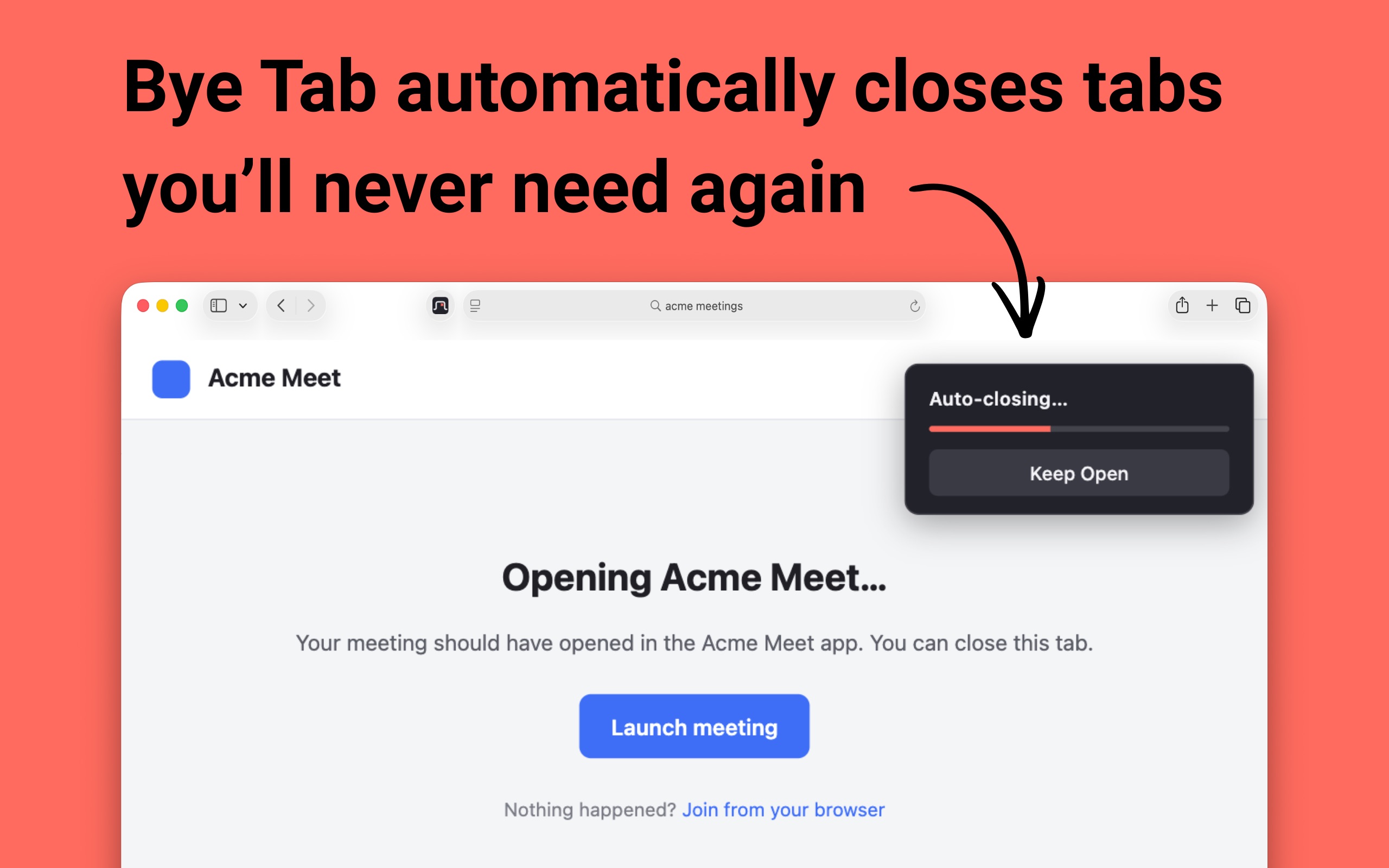
When a matching page loads, a small card appears in the top right corner and a bar fills up. When it's full, the tab closes. If you want to stay on the page, click Keep Open and that tab is left alone.
How the pattern works
A pattern has to match the whole address, and * stands for anything. Zoom join links look like https://us02web.zoom.us/j/81234567890?pwd=…, or use your company's name in place of us02web.
*zoom.usmatches zoom.us and any subdomain of it. A*in the domain stays inside the domain, so a page on another site that happens to mention zoom.us won't match./j/*matches the join page for any meeting number, with or without a password on the end.- There's no
https://at the start, so the pattern works for both http and https.
Other tabs worth closing
Zoom isn't the only offender. Sign-in flows for apps and command line tools often finish on a “you can close this window” page. If yours end in a path like /oauth/callback, this pattern catches them on any site:
*/oauth/callback*For anything else that keeps piling up:
- Copy the address of the leftover tab from the address bar.
- Replace the parts that change each time, like meeting numbers or tokens, with
*. - Paste a couple of real addresses into Test a URL to make sure they match, and check that pages you want to keep don't.
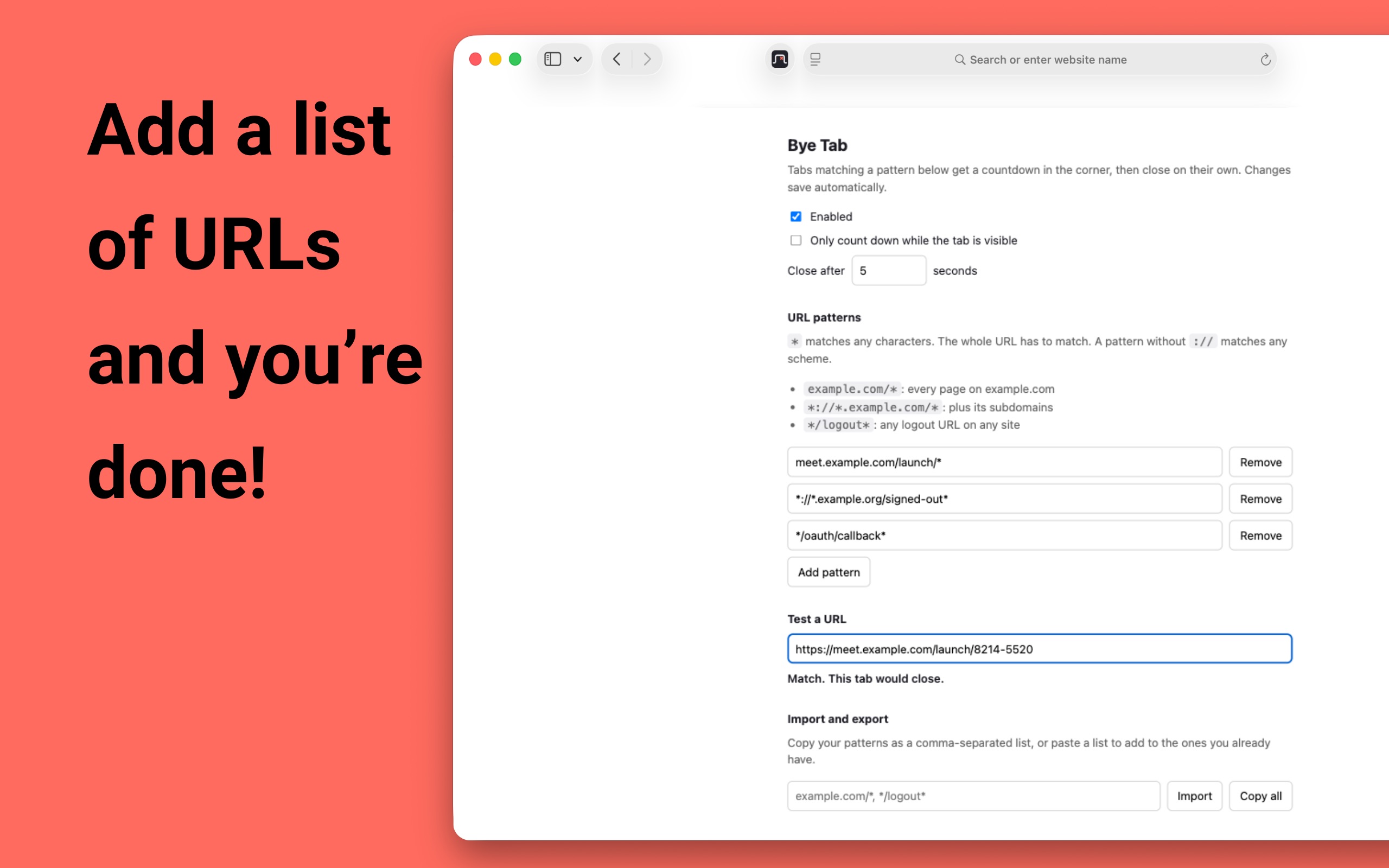
Use Import and export to copy your list of patterns to another browser or computer.
Background tabs
By default, a matching tab that opens behind your current one counts down and closes without you seeing it, which is usually what you want for a sign-in redirect. If you'd rather see every tab before it goes, turn on Only count down while the tab is visible, and background tabs wait until you switch to them.
Questions
Will closing the tab end my Zoom meeting?
No. The meeting runs in the Zoom app. The tab is only the page that asked your browser to open it, and once the app is open the tab has nothing left to do.
What if I join Zoom meetings in the browser?
The Zoom web client uses a different address, with /wc/ in it rather than /j/, so the pattern in this guide leaves it alone. Paste the address of your meeting tab into Test a URL to double check.
Why isn't the tab closing?
Paste the tab's address into Test a URL to check the pattern matches. In Firefox, also check that Bye Tab has site access: go to about:addons, open Bye Tab, and under Permissions turn on Access your data for all websites. Pattern changes apply the next time a page loads.
How much does Bye Tab cost?
It is free on Chrome and Firefox. On Safari it is a one-time US$0.99 purchase on the Mac App Store.
Add to Chrome Add to Firefox Add to Safari
Free on Chrome and Firefox · US$0.99 on Safari