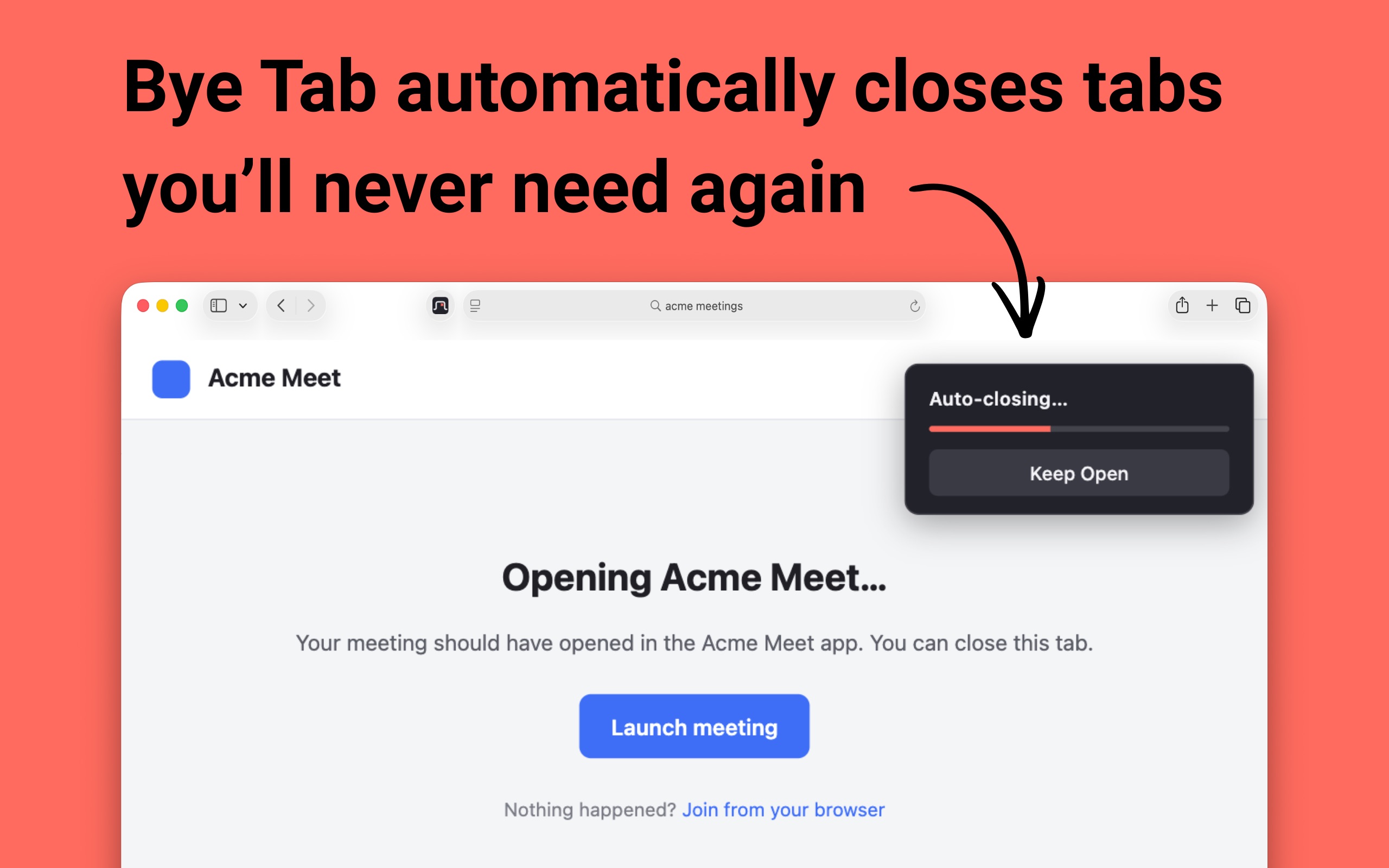
Meeting launch pages, sign-in redirects and "you can close this window" screens sit there until you get around to them. Bye Tab closes them for you, with a few seconds to change your mind.
Free on Chrome · US$0.99 on Safari
When a matching page loads, a small card appears in the top right and a bar fills over a few seconds. Once it's full, the tab closes.
Changed your mind? Click Keep Open and that tab stays put until you close it yourself.
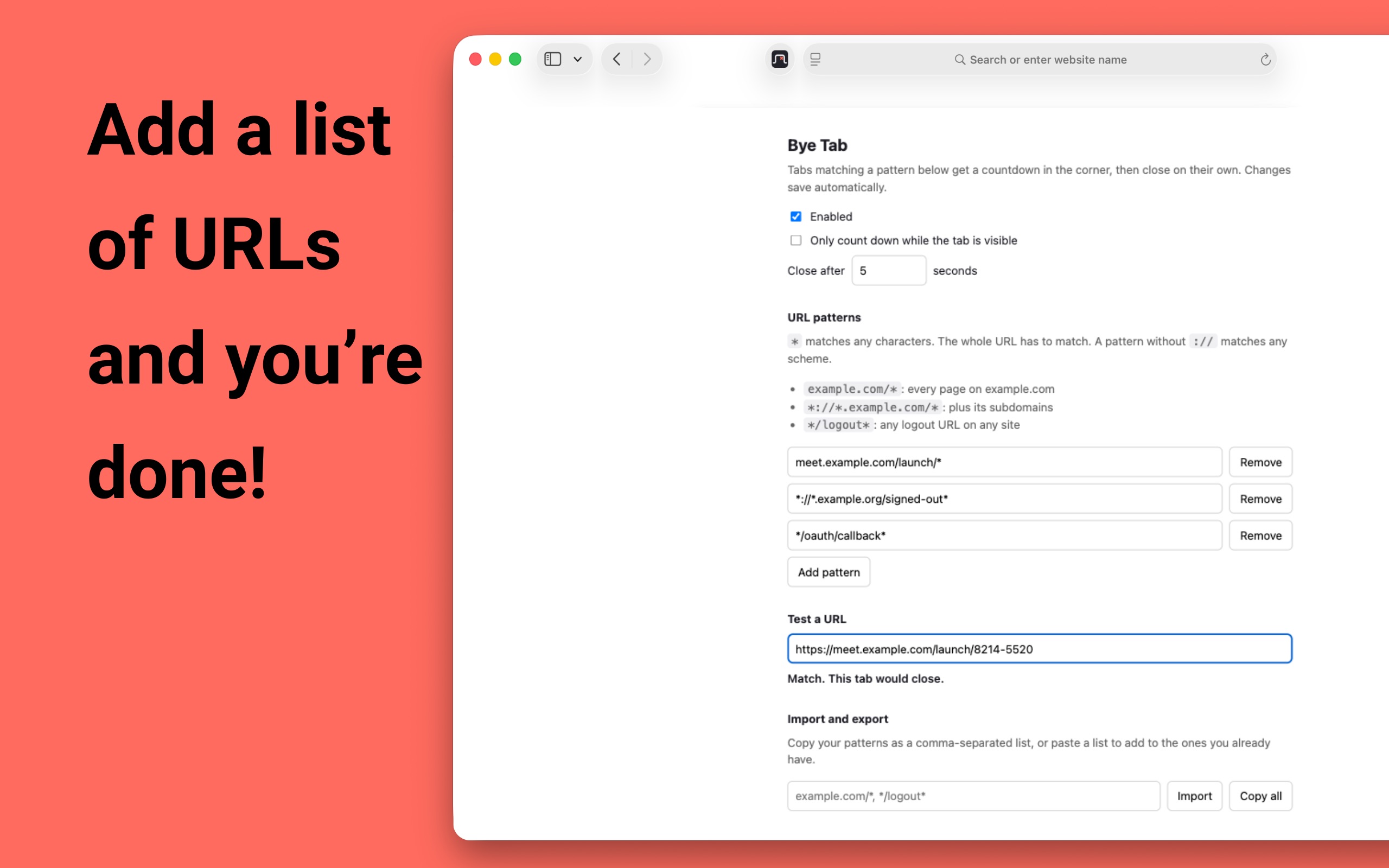
Patterns use * as a wildcard and have to match the whole URL. meet.example.com/launch/* catches meeting launch pages, */oauth/callback* catches sign-in callbacks anywhere.
Paste a URL into Test a URL to see whether it would close before you trust a pattern with it.
No analytics, no trackers, no servers. Pattern matching happens locally, and your settings live in your browser's extension storage.
Bye Tab asks for site access so it can show the card and close the tab. It doesn't read what's on the page. Read the privacy policy.
Only the ones matching a URL pattern you added. Nothing closes until you write a pattern, and a pattern has to match the whole URL.
Click Keep Open on the countdown card. That tab is then left alone until you close it yourself.
By default yes, which is usually what you want for a sign-in redirect opened behind your work. Turn on Only count down while the tab is visible and background tabs wait until you switch to them.
Free on Chrome. The Firefox version is on the way and will also be free. Safari is a one-time US$0.99 purchase on the Mac App Store, no subscription.
No. No analytics and no servers. Your patterns stay in your browser, and your browser may sync them to your other devices if you have sync turned on.
Add a pattern once and those tabs take care of themselves.
Free on Chrome · US$0.99 on Safari