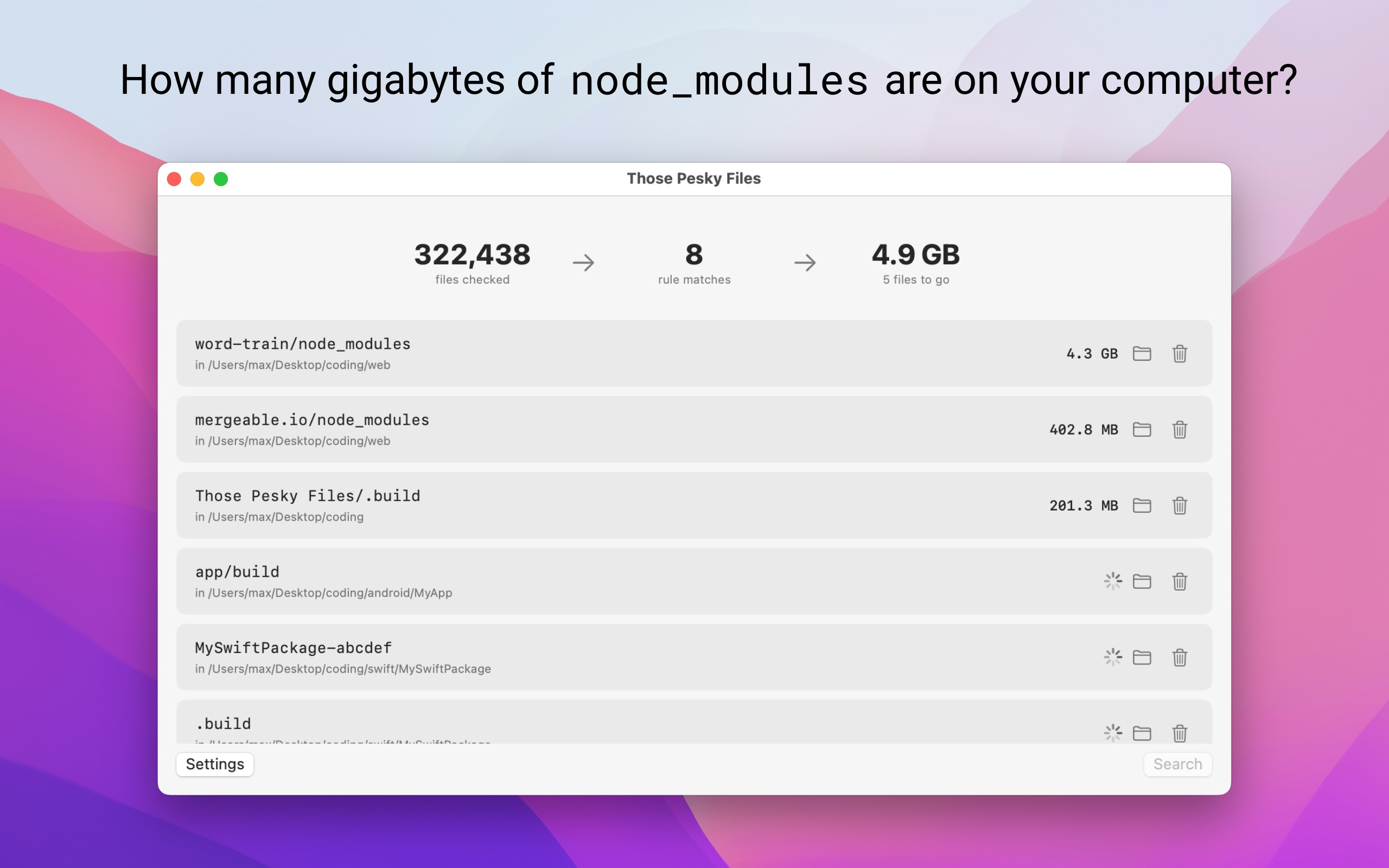
Every project you have touched this year left something behind. Those Pesky Files finds the build artifacts, caches and forgotten folders across your Mac, adds up what they cost you, and lets you delete them on purpose.

That's the problem. Point the app at your code folder and it will tell you: how many files it checked, how many matched your rules, and how much space they add up to.
Sizes appear as they are calculated, so the total climbs while the scan is still running.
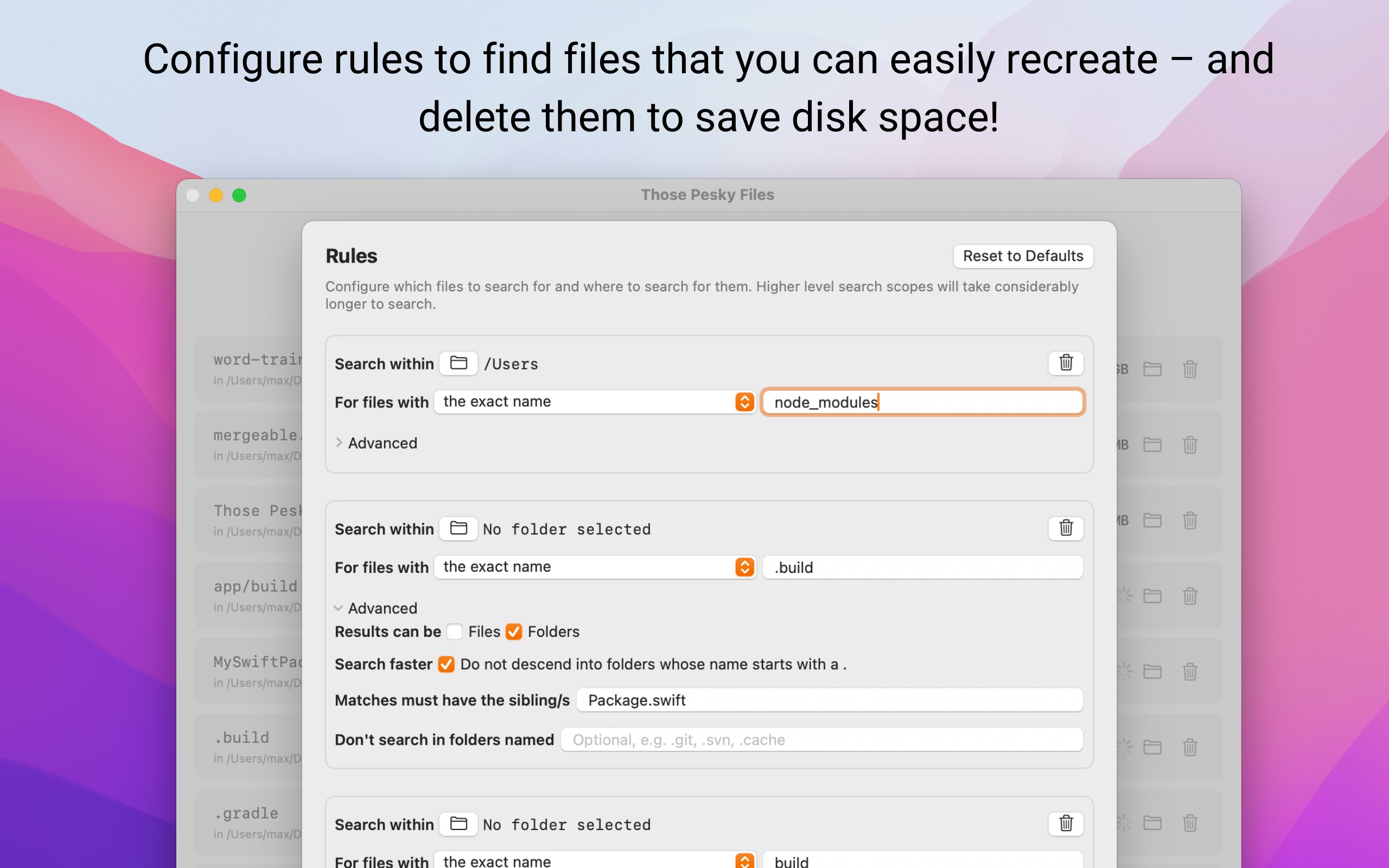
Match by exact name, like .build or node_modules, or by file extension. Each rule gets its own search location, so a broad sweep of /Users and a narrow look at one repository can happily coexist.
Each rule can also skip folder names such as .git, skip hidden folders altogether, and return files only, folders only, or both.
A folder called build means one thing next to package.json and something else entirely in your documents. Require a sibling file and the rule only fires where it should.
It is the difference between a list you have to audit line by line and a list you can act on.
Reveal any match in Finder to check it before you commit. When you are ready, delete it and confirm.
Deletion is immediate rather than a trip to the Trash, so the confirmation is the safety net. Everything the app is pointed at is something your tools can rebuild (over to you to set this up properly!).
No analytics, no network calls, and nothing uploaded to or downloaded from your Mac. Your rules stay on the machine, and the app can only see the folders you explicitly grant it.
It will not touch locations you did not choose, and it will not delete anything on its own.
Whatever you tell it to. Rules match either an exact name, such as .build or node_modules, or a file extension. The defaults are aimed at the usual suspects across Xcode, SwiftPM, Node and Gradle projects, and you can add your own rules for anything else that piles up.
Yes, and that is deliberate. For privacy and security, the app has no access to your disk until you grant it. Set a search location for the default rules after first launch, or add rules of your own, and the app will only ever look inside the folders you picked.
Several ways. Scanning is limited to folders you choose. Each rule can skip folder names such as .git, skip hidden folders entirely, and match only files, only folders, or both. Sibling conditions let you require a neighbouring file, so a .build folder counts only when Package.swift sits beside it. Nothing is ever deleted automatically: you pick the matches and confirm.
No. Deletion is immediate rather than a move to the Trash, which is why the app asks you to confirm first. Everything it is designed to remove is something your tooling can rebuild (over to you to set this up properly!).
Yes. Matches are listed with their location and size as the scan runs, so you can watch the total climb. Reveal any match in Finder to check it, then delete the ones you want gone.
No. Those Pesky Files is for targeted cleanup of files you can regenerate, which mostly means developer build output and caches. It is not a duplicate finder, not a photo manager, and it will not touch locations you have not granted access to.
No. The app is 100% local: no analytics, no network calls, and nothing uploaded or downloaded. Your rules are stored on your Mac, and access is limited to the folders you explicitly choose.
It is a one-time purchase of US$3.99 on the Mac App Store, with no ads and no subscription. It requires macOS 14 or later.