Translate This app icon

Translate ThisIf you can see it,
you can read it.

Put the floating frame over any text on your Mac and click Translate. The translation appears right beside the words, whether they came from a website, a PDF, a game or a screenshot somebody sent you.

US$1.99 · one-time purchase · macOS
Point at the words. That's the whole interface.

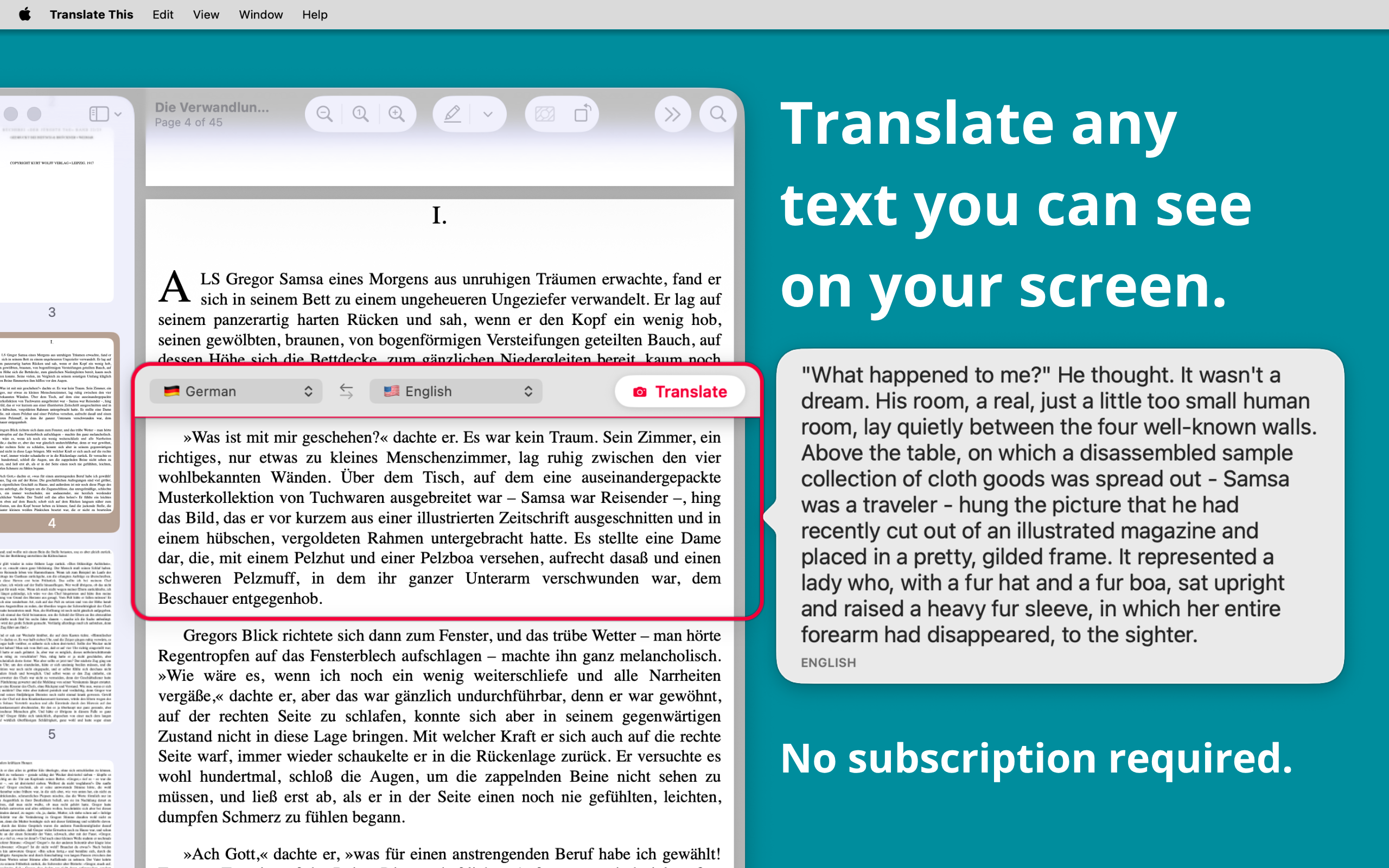
Drag the frame over the paragraph you are stuck on, resize it to fit, and click Translate. The result appears next to the original so you can read them together.

No selecting, no copying, no switching to a browser tab and back again.

Translate This — a floating frame placed over German text in a PDF, with the English translation beside it

Text that will not let you select it, translated anyway

Translate This reads what is on screen with on-device text recognition, so it does not care whether the text is real text. Posters, screenshots, scanned pages, subtitles and app interfaces all work the same way.

Websites, PDFs, documents, images, dialog boxes, games. If your screen is showing it, the frame can read it.

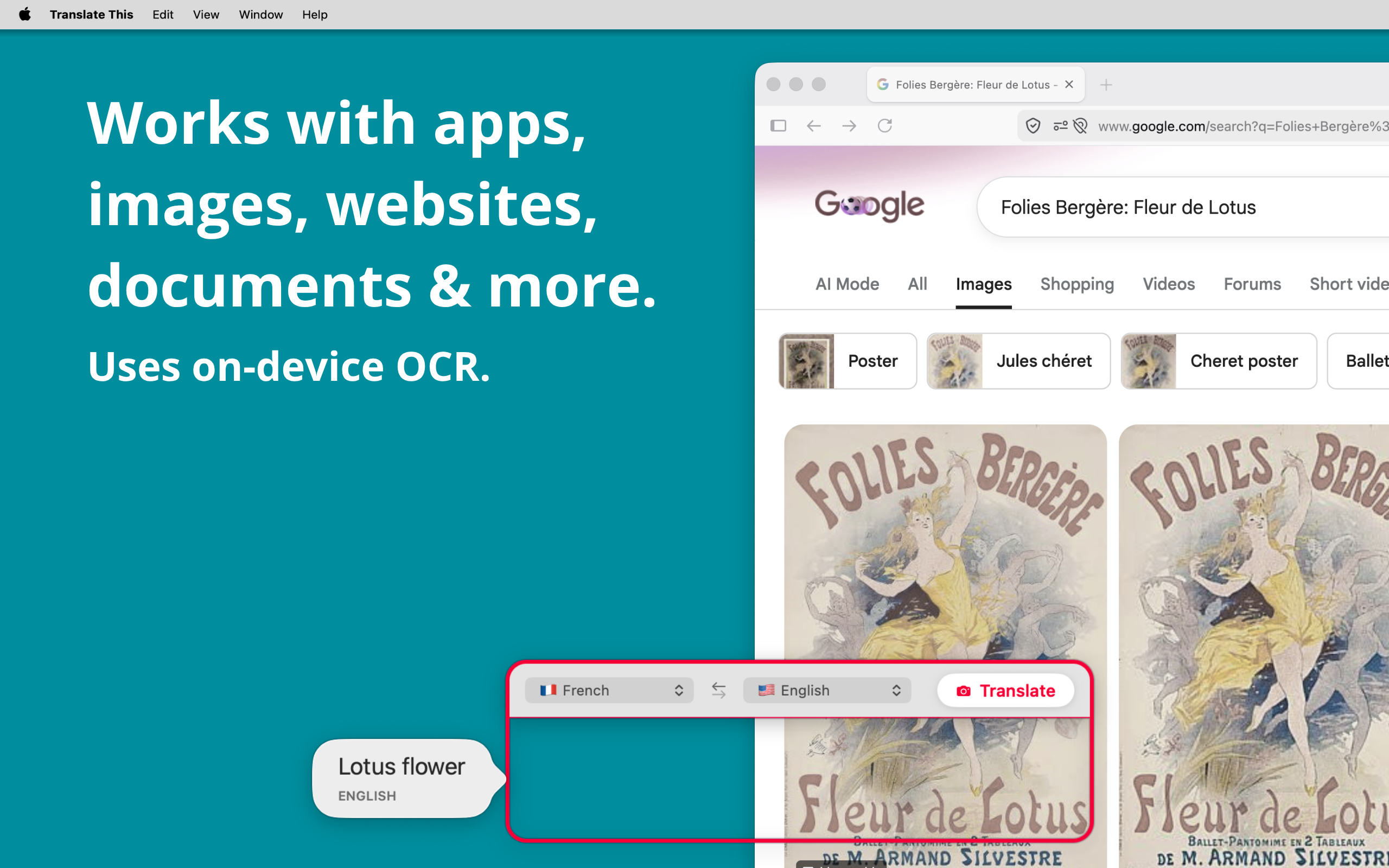
Translate This — translating French text inside an image in a web browser using on-device OCR

Fast, unlimited, and none of our business

Everything runs on your Mac, which is why it is quick and why there is no counter ticking down. Translate one line or a whole afternoon of them.

Keep the window floating above your other apps and it is there the moment you need it.

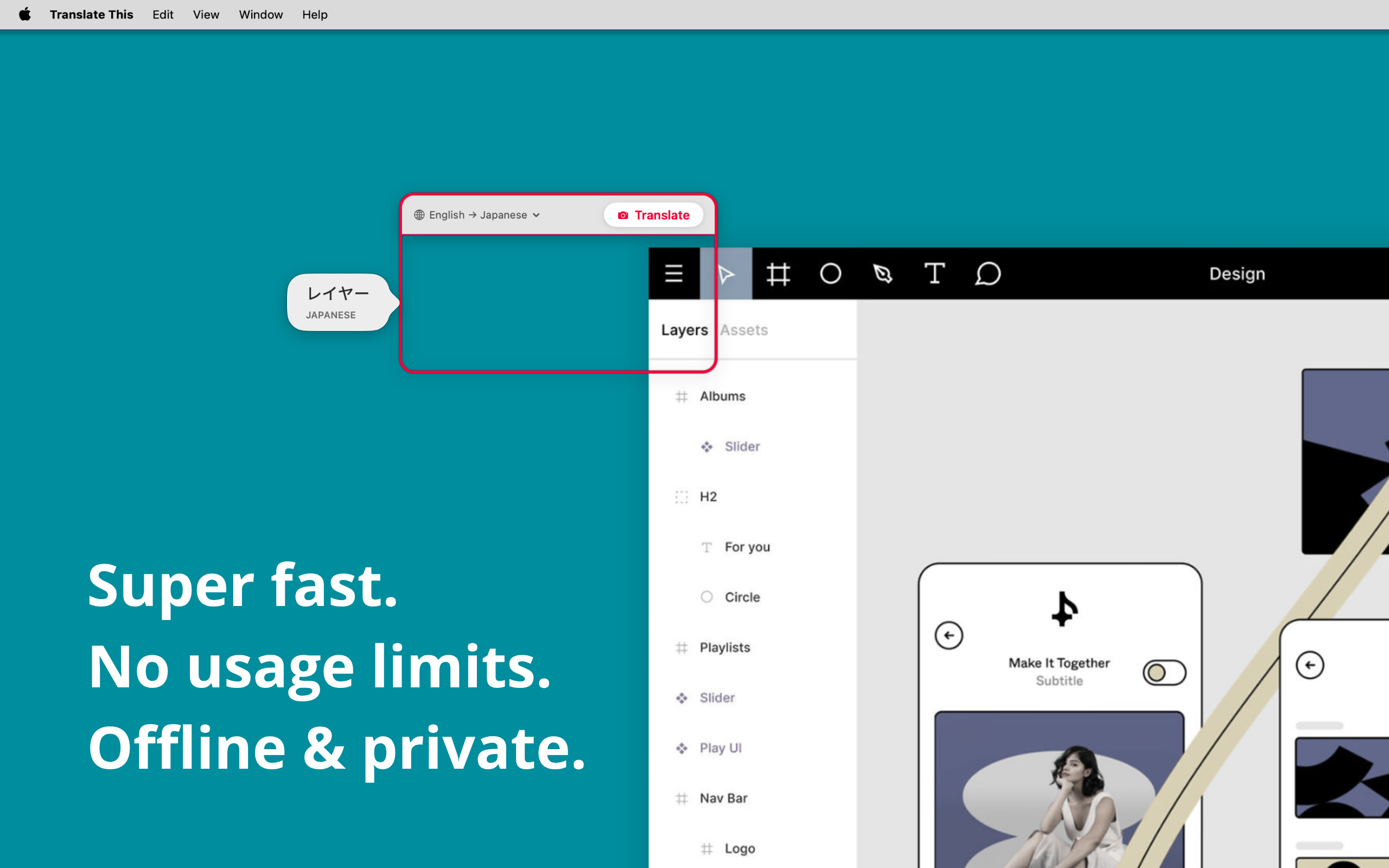
Translate This — translating an app interface from English to Japanese, on-device and offline

18 languages, both directions

Translate between any of these using Apple's on-device translation, and swap source and target with a single click.

Everything in Translate This

What is on your screen stays on your screen

Text recognition and translation both happen on your Mac using Apple's built-in technologies. The content inside the frame is never sent to us or to anyone else, and we have no way to see it.

No analytics, no advertising, no tracking, and no account to create in the first place.

Frequently asked questions

What can Translate This translate?

Anything your screen is showing: websites, PDFs, documents, images and screenshots, app interfaces and dialog boxes, games, and video subtitles. Because it reads the pixels rather than the text underneath, it works in places where you cannot select or copy anything.

Does what is on my screen get sent anywhere?

No. Text recognition and translation both happen on your Mac using Apple's built-in on-device technologies. Nothing inside the frame is sent to us or to any third party, and there is no account, no analytics and no tracking.

Which languages does it support?

Arabic, Chinese, Dutch, English, French, German, Indonesian, Italian, Japanese, Korean, Polish, Portuguese, Russian, Spanish, Thai, Turkish, Ukrainian and Vietnamese. Source and target swap with a single click.

Does it work without an internet connection?

Yes. Recognition and translation run on your Mac, so once macOS has the languages you use, no connection is needed.

Is there a usage limit or a subscription?

Neither. Translate This is a one-time purchase of US$1.99 and you can translate as much as you like. There is nothing to top up and nothing to renew.

Do I have to copy and paste the text first?

No, and that's the point. Position the frame over the words, click Translate, and the result appears next to them. Nothing is selected, copied or pasted.

What do I need to run it?

A Mac running macOS 15 or later. Translate This is a native app from the Mac App Store, with no account and nothing to configure before you start.

Read the world in your language

One-time purchase. No subscription, no usage limits, no account.

US$1.99 · requires macOS 15 or later