Quick Draw app icon

Quick DrawDraw on your screen.
Then get out of the way.

Lines, arrows, rectangles and circles, drawn straight onto your screen over any window. Point out what you're talking about while screencasting, or cover up what shouldn't be in a screenshot. Press escape and you're back to work.

Download Quick Draw on the Mac App Store

US$1.99 · one-time purchase · macOS
Stop waving the mouse around

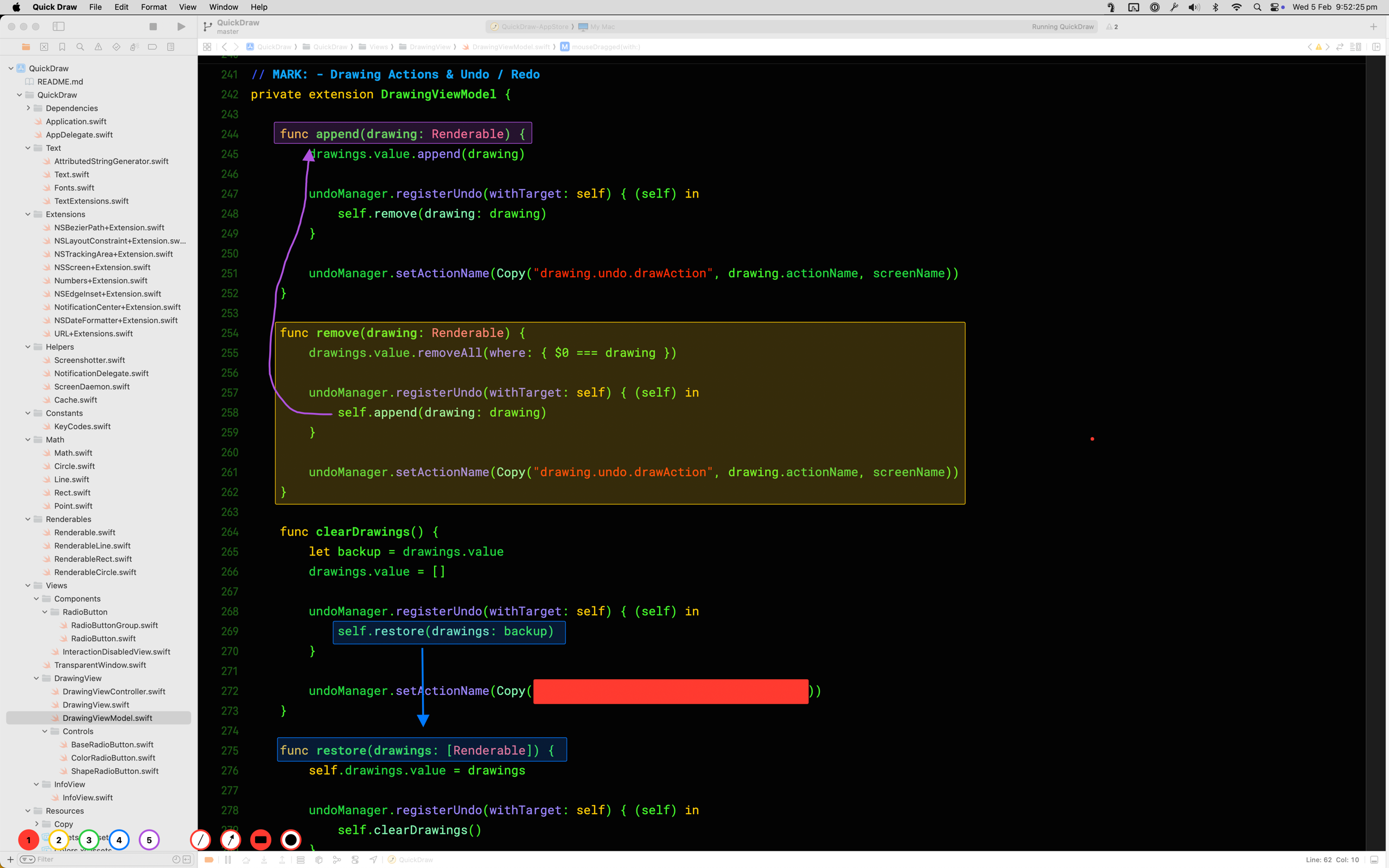
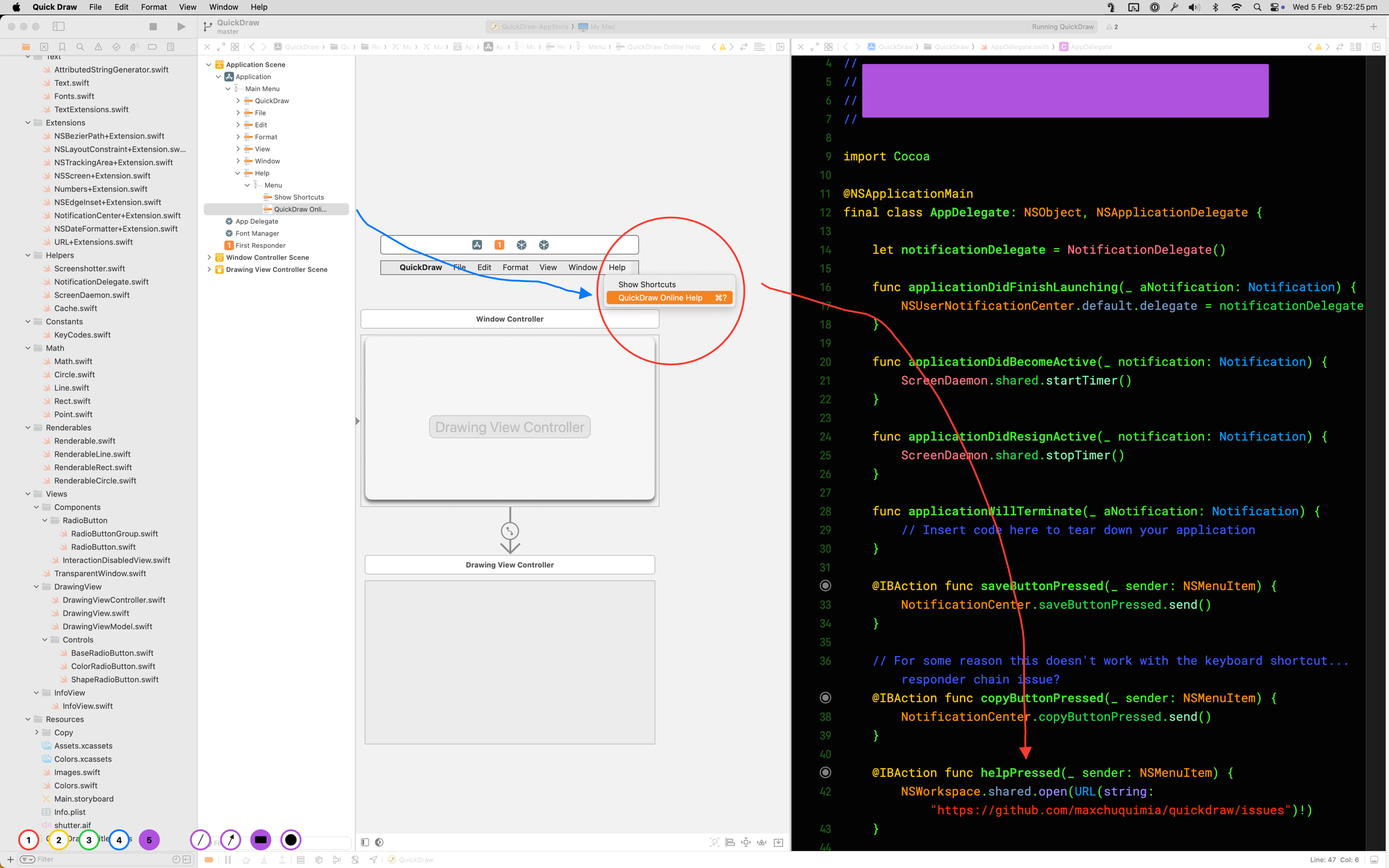
Circling the cursor wildly and hoping people follow it is not a great way to point at something. Draw an arrow to it instead, or put a box around it, and everyone watching knows exactly where to look.

Quick Draw on macOS — arrows and highlight boxes drawn over Xcode to point out specific lines of code

Black it out before you hit screenshot

Hold shift and a rectangle fills in solid, so anything you'd rather not share is covered before the screenshot is even taken. No cropping, no opening an image editor afterwards.

Quick Draw — a solid filled rectangle covering private content on screen, with a circle and arrow highlighting the rest

Escape, escape, back to work

One press of the escape key wipes the screen clean. Press it again and Quick Draw steps aside, putting you back exactly where you were without missing a beat.

Need to erase just one thing? Backspace deletes the drawings under your mouse, and Command-Z undoes the last one.

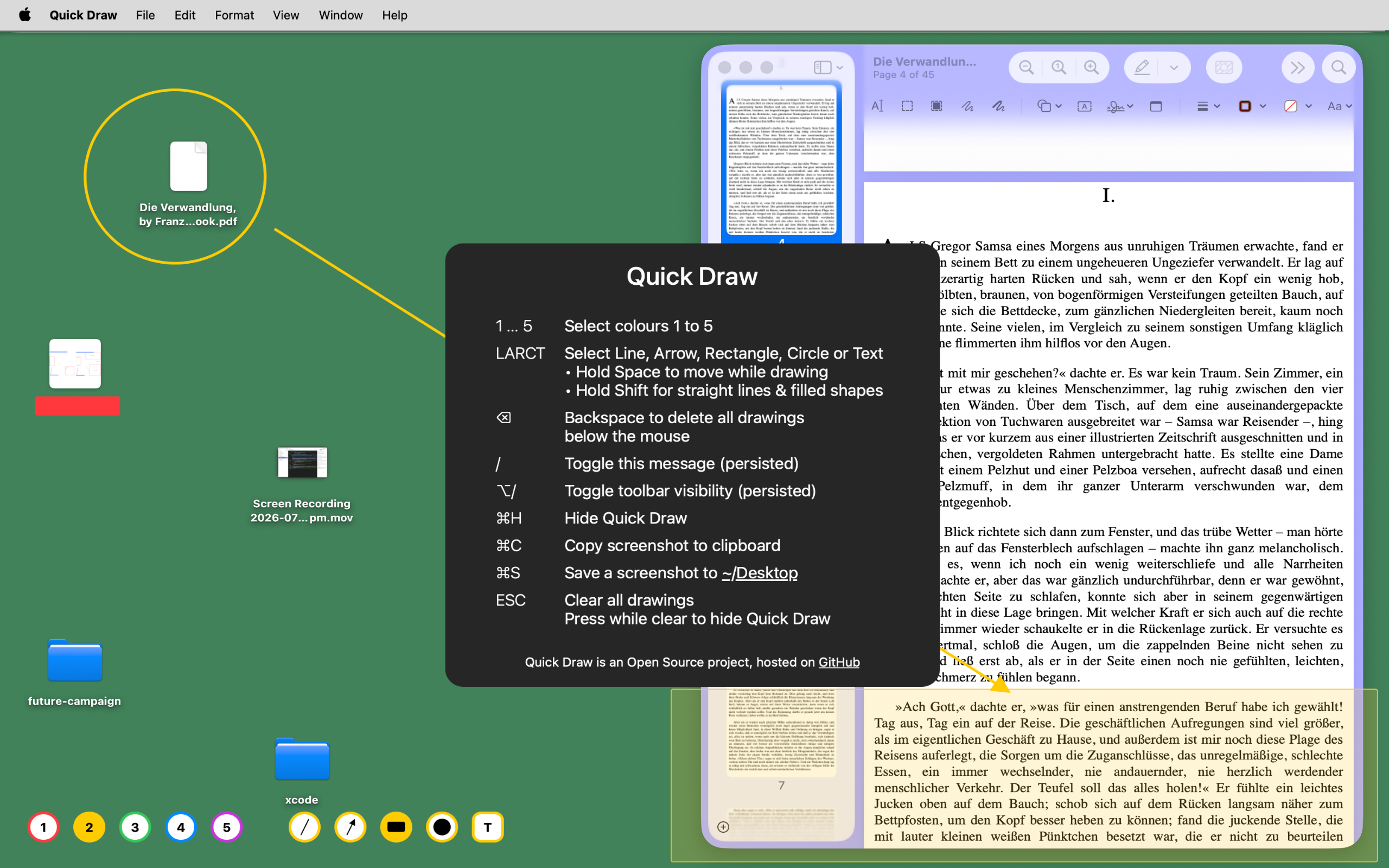
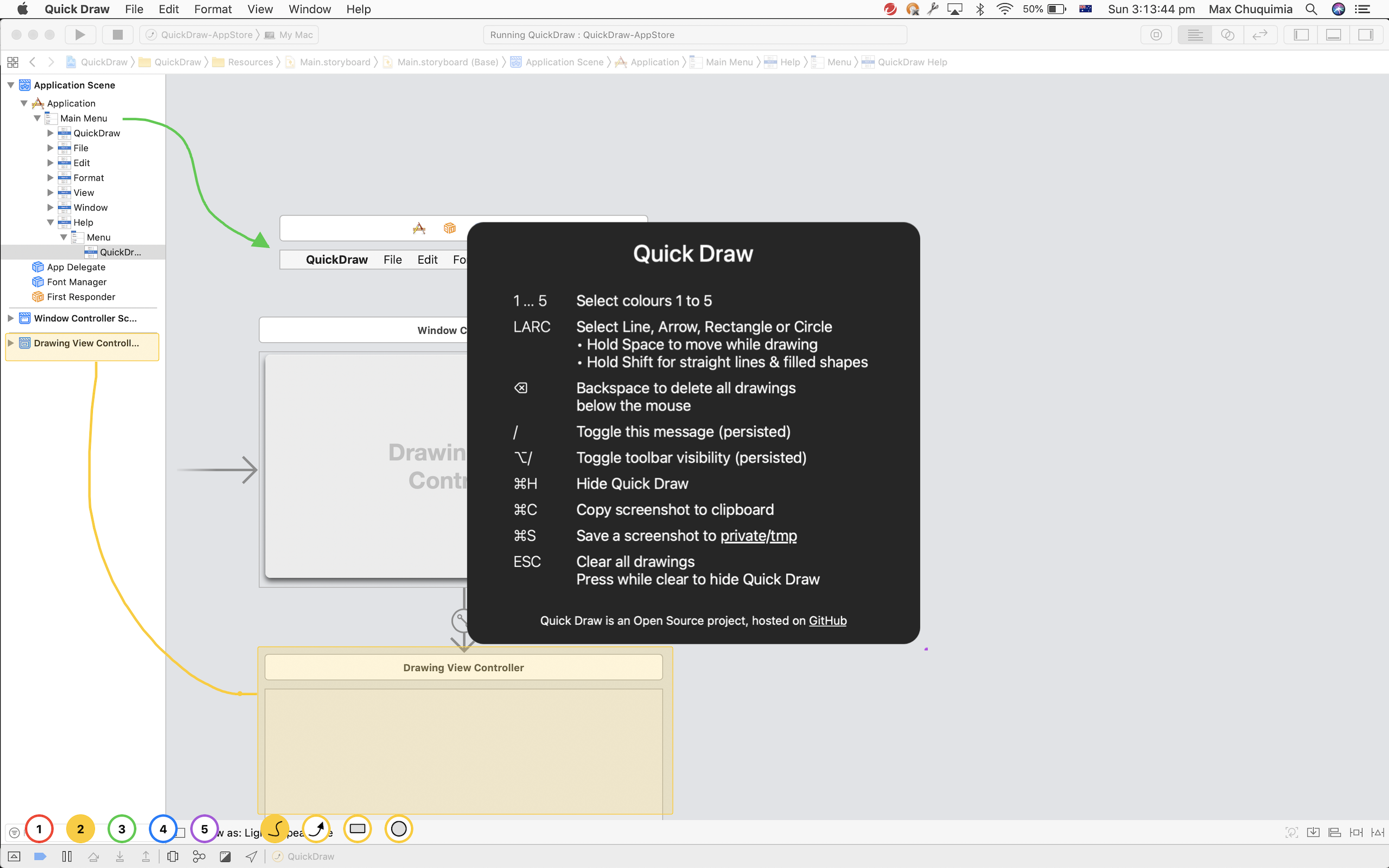
Quick Draw — the built-in shortcut card listing colours, shapes and keyboard controls

Everything is a keypress

There's no palette to hunt through mid-sentence. Forgotten one? Hit the slash key and the whole list appears on screen.

Open source, and it keeps nothing

Quick Draw collects no data, personal or otherwise. Nothing is stored on our servers, and nothing leaves your Mac.

The source is on GitHub if you'd like to read it or build it yourself. The App Store version is the signed, sandboxed build, kept up to date for you.

Frequently asked questions

What is Quick Draw for?

Two things, mostly. While screencasting or presenting, you can draw an arrow or a circle around whatever you're talking about instead of waving the mouse pointer at it. Before taking a screenshot, you can drop a filled rectangle over anything you'd rather not share, so there's nothing to edit out afterwards.

Does Quick Draw work on top of other apps?

Yes. Quick Draw draws over the whole screen, so your lines and shapes sit on top of whatever windows are already there, whatever app they belong to.

How do I get rid of the drawings?

Press escape to clear the screen. Press it again on an already clear screen and Quick Draw gets out of the way, dropping you back into whatever you were doing. Backspace erases just the drawings under the mouse, and Command-Z undoes the last one.

What are the keyboard shortcuts?

Keys 1 to 5 pick a colour, and L, A, R and C pick line, arrow, rectangle or circle. Hold shift for straight lines and filled shapes, or hold space to move a shape while you're still drawing it. Command-C copies a screenshot, Command-S saves one, and the slash key brings the full list up on screen whenever you need it.

Is Quick Draw open source?

Yes, the source is on GitHub, so you can read it, build it yourself, or file an issue. Buying it on the Mac App Store gets you the signed, sandboxed build with updates handled for you.

How much does Quick Draw cost?

Quick Draw is a one-time purchase of US$1.99 on the Mac App Store. There's no subscription. It needs macOS 10.14 or later.

Point at things properly

One-time purchase, no subscription, no account. Requires macOS 10.14 or later.

Download Quick Draw on the Mac App Store

US$1.99 · requires macOS 10.14 or later