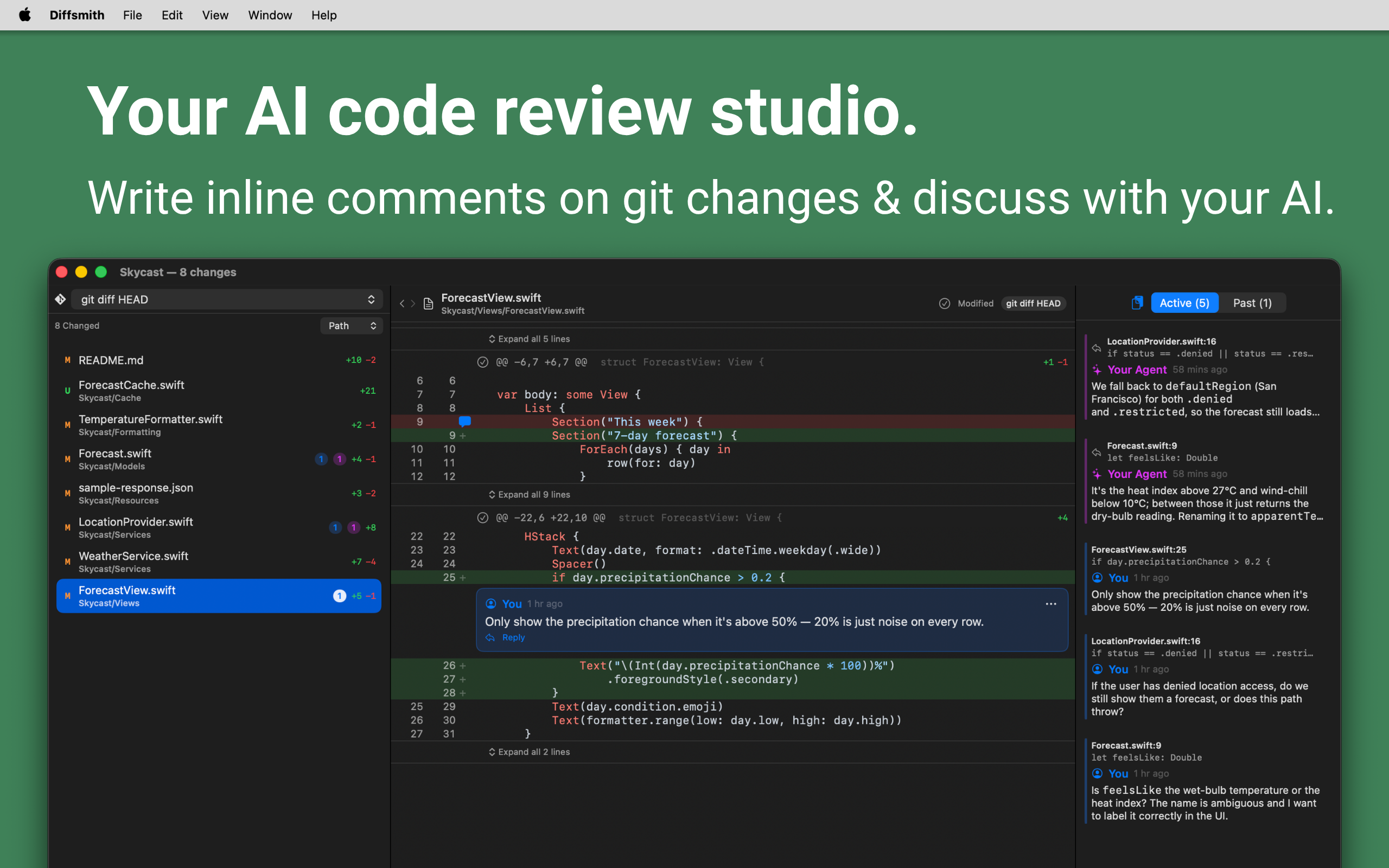
Code review for local git changes made by Claude Code, Cursor, Codex, Copilot, or any other AI coding agent, whether that's your working tree, a commit, a range, or a whole branch. Comment on the exact lines that matter, then hand your notes straight back to the agent.

Open a repo, read the diff, and click any line to leave a comment anchored to that exact spot. No retyping file names and line numbers by hand.
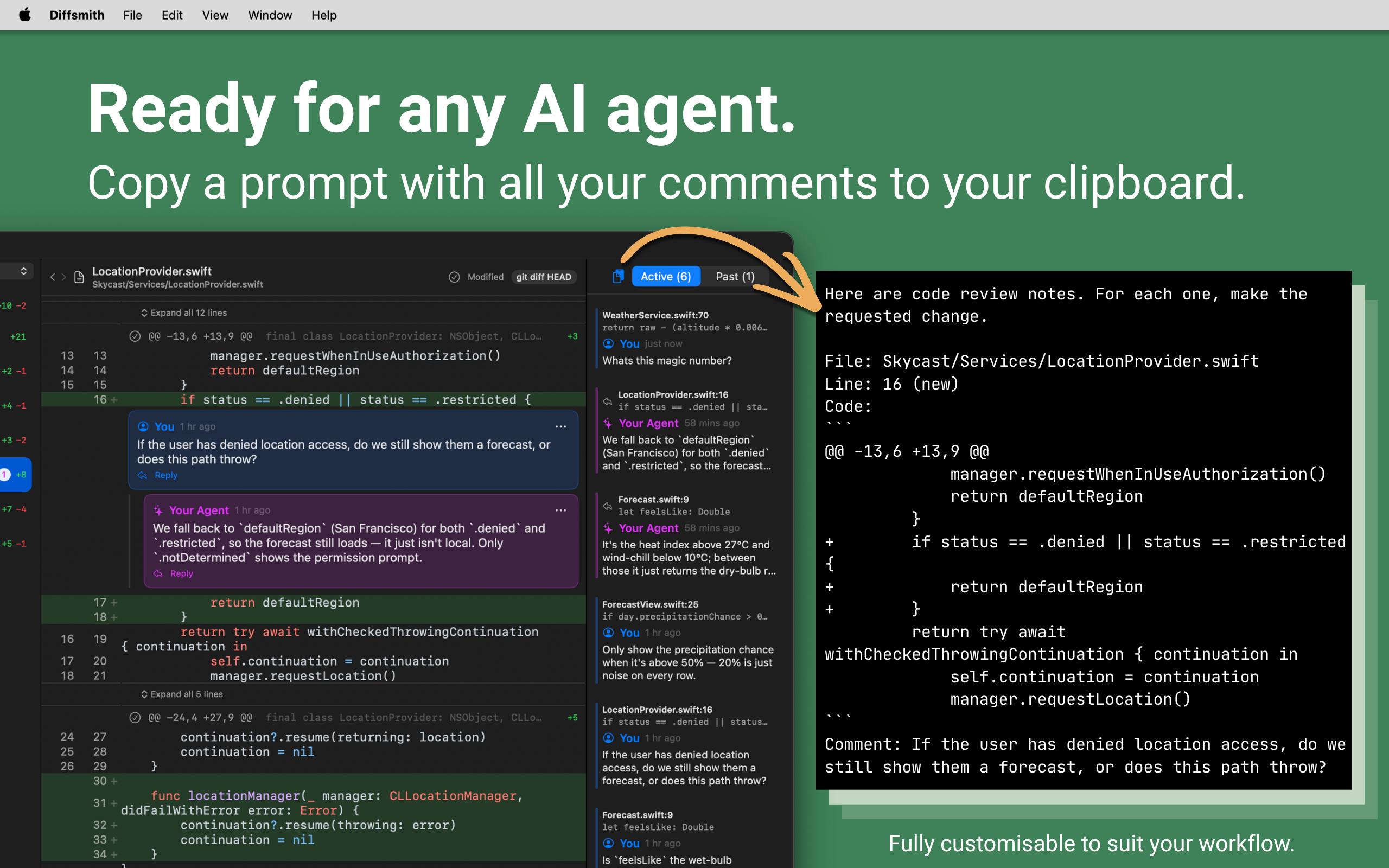
Claude Code, Cursor, Codex, Copilot. If it writes code in your repo, Diffsmith can review it. Your comments come back as a prompt you can paste anywhere.
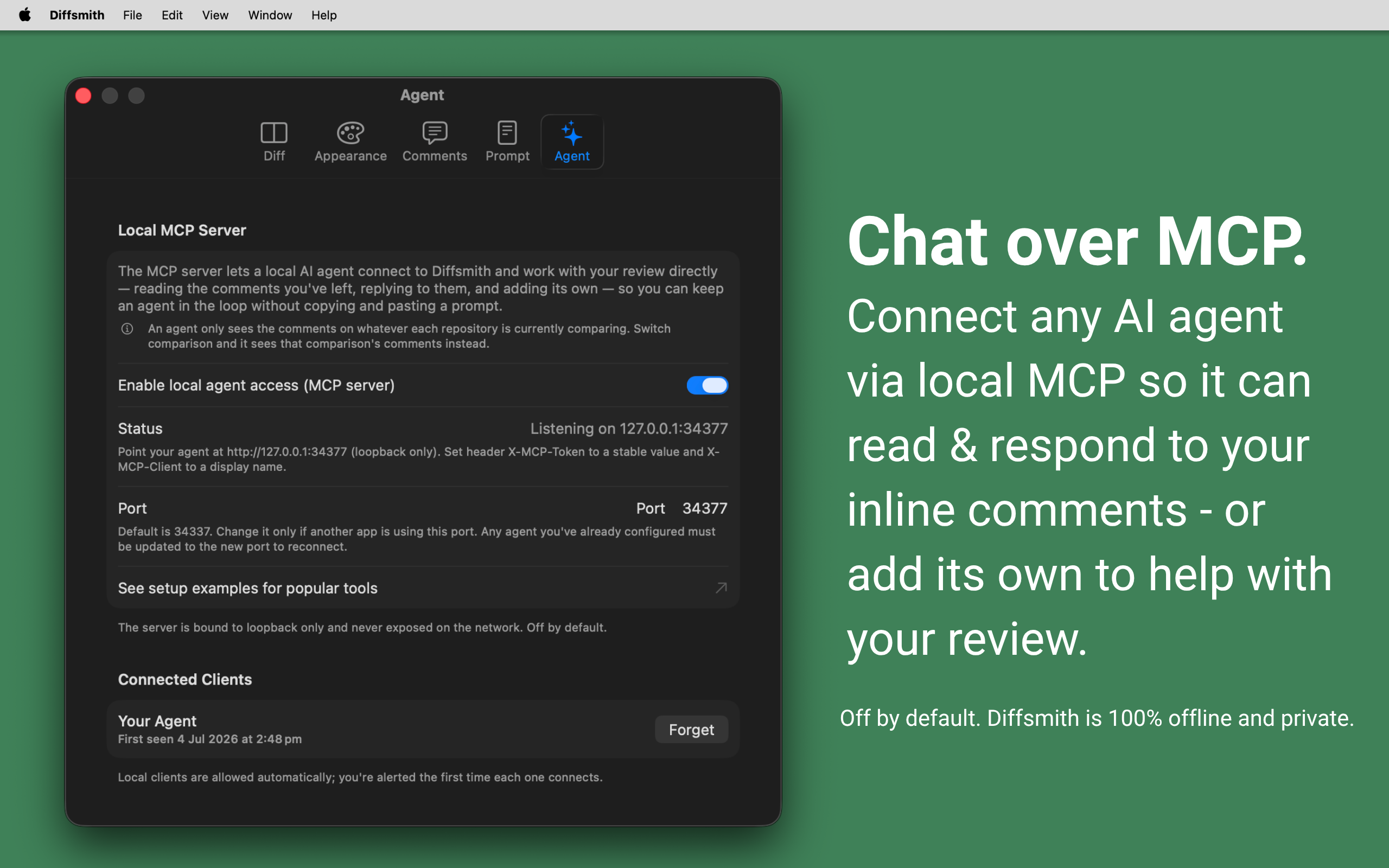
Switch on the local MCP server and the agent reads your comments itself, then replies in the app. Snippets for Claude Code, Cursor, Codex, Windsurf, VS Code and Zed are in the MCP setup guide.
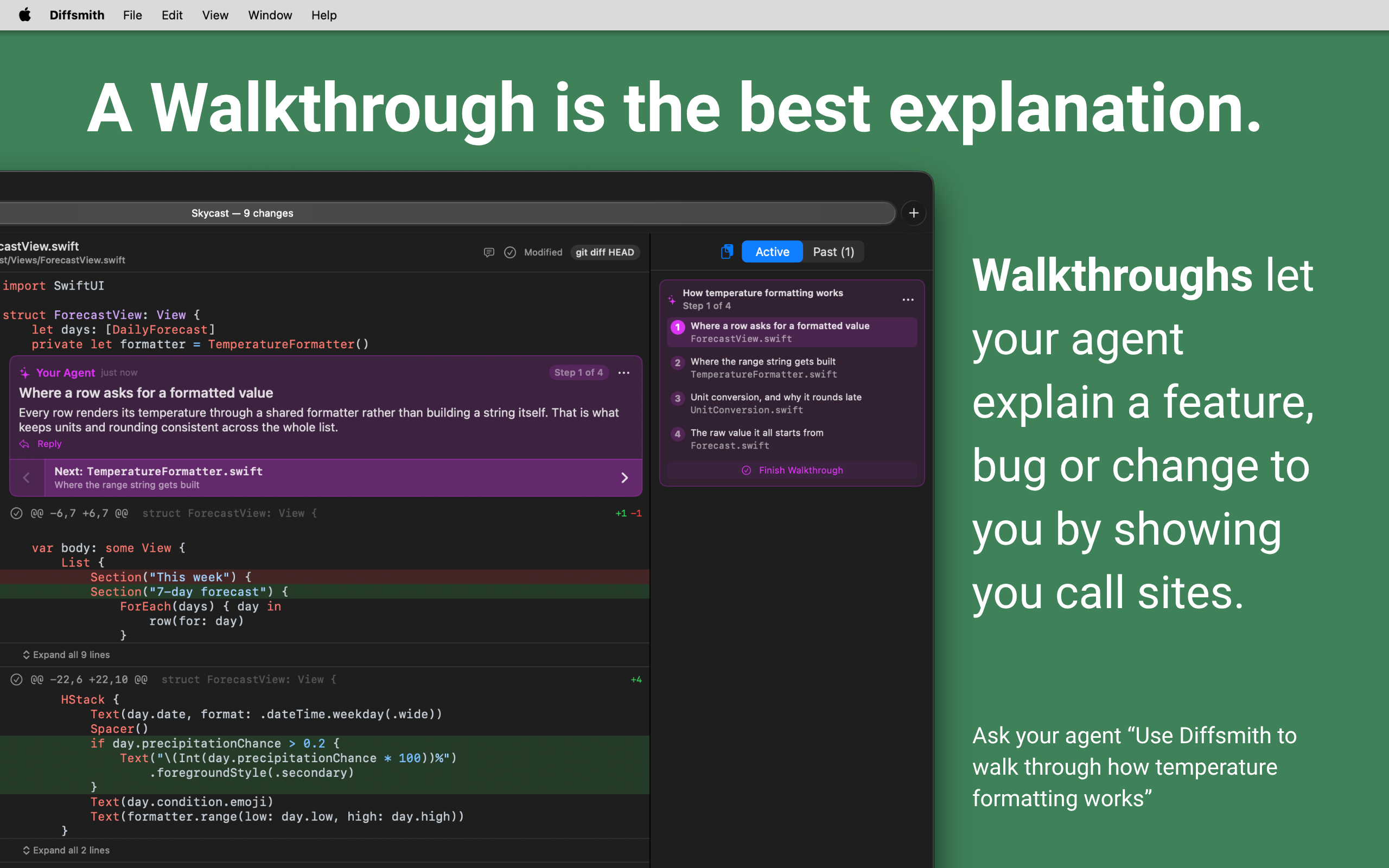
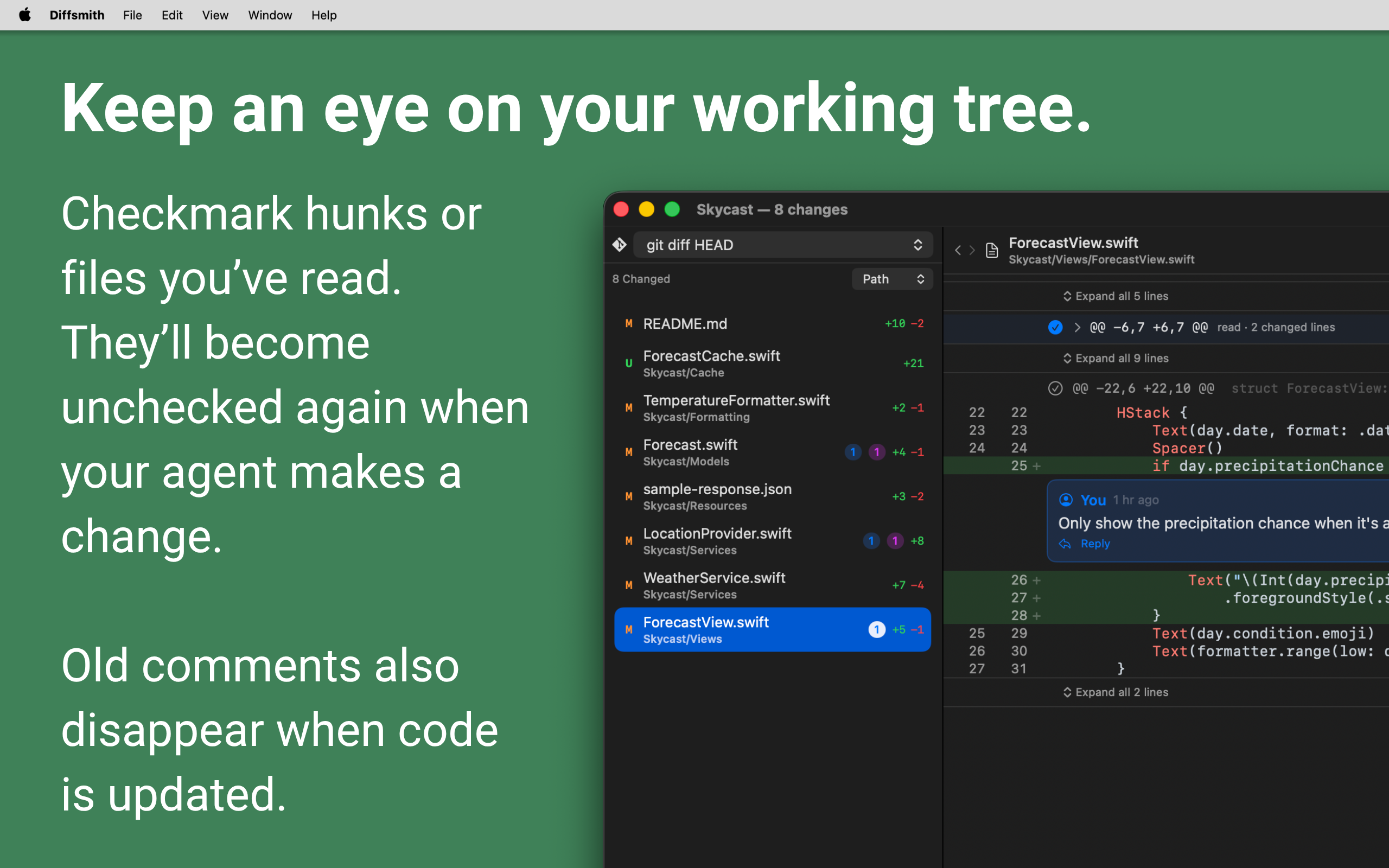
Diffsmith re-diffs as files change on disk, so you can start reviewing before the agent finishes instead of facing a wall of changes at the end.
Check off the hunks and files you’ve read to collapse them. If your agent goes back and changes that code, they uncheck themselves.
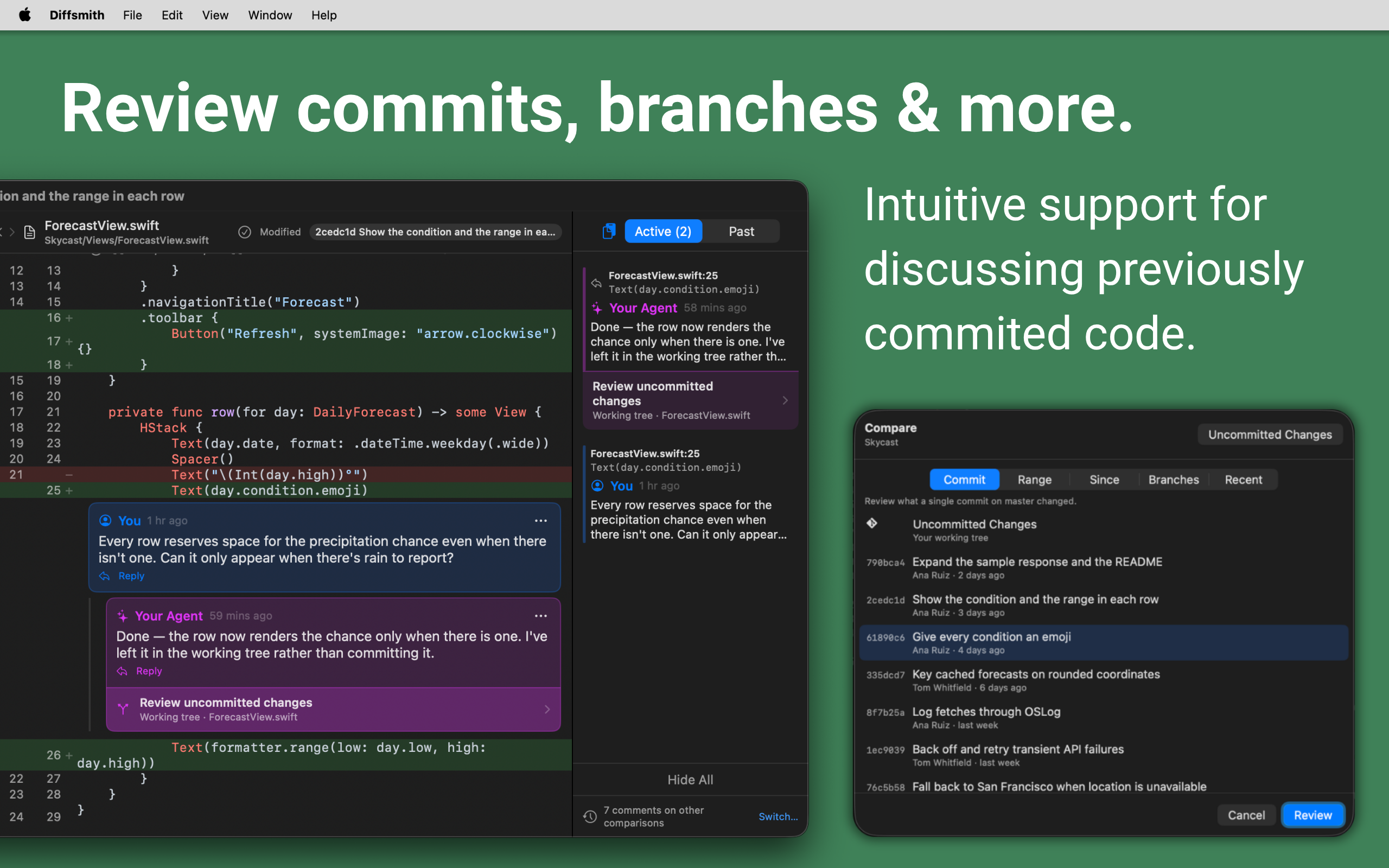
Point a repository at a single commit, a range, everything since a given commit, or one branch against another, then review it the same way you review uncommitted work, comments and agent replies included.
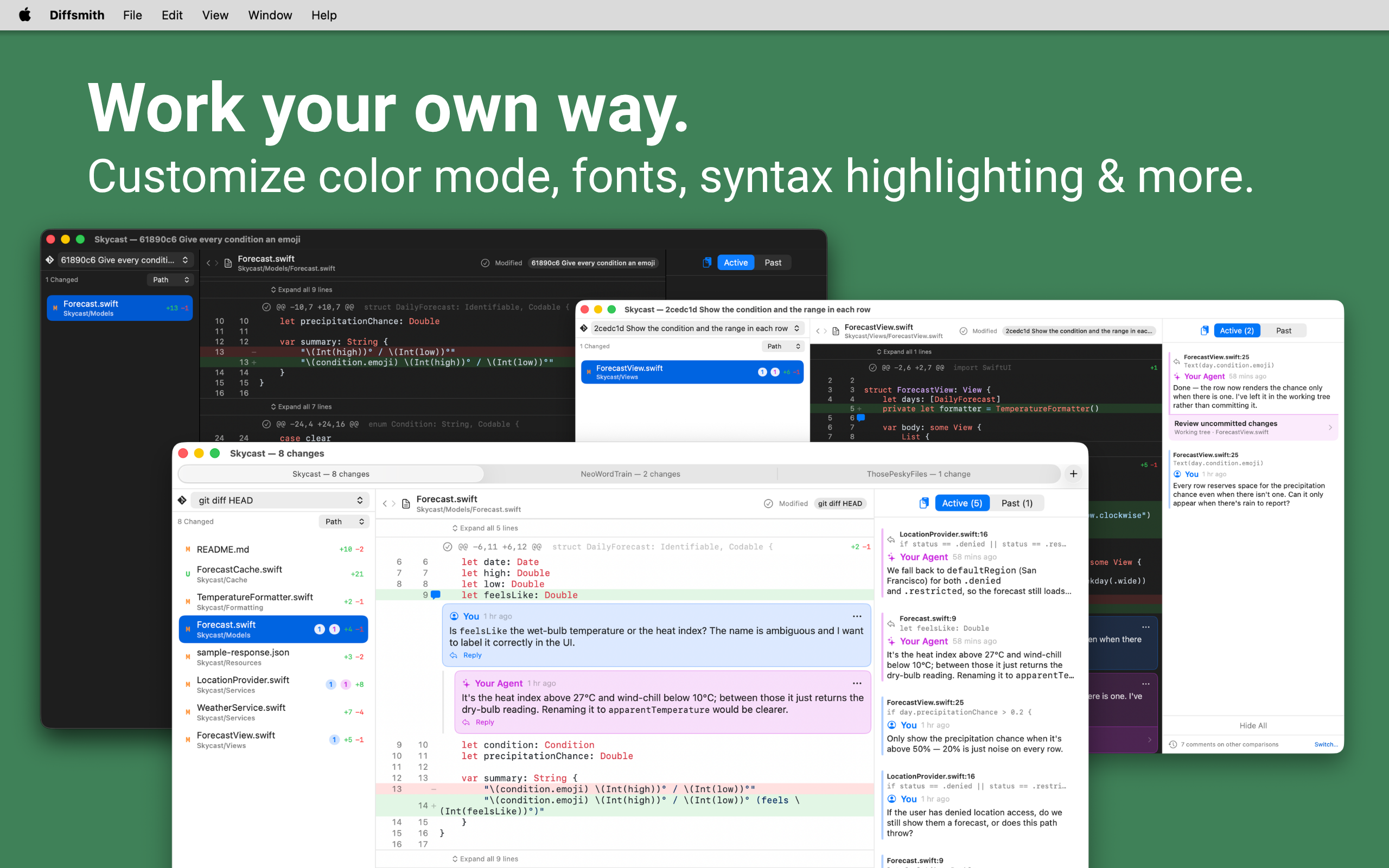
Each comparison keeps its own comments, so you can switch between them and pick up where you left off.
Fast, sandboxed, and properly at home on macOS — right down to the tint colour it borrows from your system settings.
Whatever your agent does with your code is between you and your agent. Diffsmith itself is fully sandboxed and native, with no account, no cloud, and no telemetry — it makes no outbound network calls at all.
The only networking is the optional, local-only agent server you switch on yourself.
Yes. Diffsmith lets you review the changes an agent leaves in your local repository, whether they are still in the working tree or already committed to a branch, so it works with Claude Code, Cursor, Codex, Copilot, and any other AI coding agent. You can copy your review comments back as a formatted prompt, or turn on Diffsmith’s local MCP server so the agent reads and replies to your comments directly.
Diffsmith includes a built-in, loopback-only MCP server that is off by default. Switch it on in Diffsmith, then add it to your agent following the MCP setup guide. Your agent can then read your inline comments and reply to them in-app, with no copy and paste.
No. Diffsmith is a sandboxed native macOS app with no account, no cloud, and no telemetry, and it makes no outbound network calls of its own. The only networking is the optional local-only MCP server that you switch on yourself. Your AI agent, of course, still does whatever it already does with your code — Diffsmith just doesn’t add anything to that.
No. Diffsmith reviews uncommitted work in your local repository, diffing against HEAD or HEAD plus staged changes, so you can comment on the code while your agent is still working rather than waiting for a pull request. If the work is already committed, Diffsmith reviews that too.
Yes. Point a repository at a single commit, a range of commits, everything since a given commit, or one branch compared against another, and review that diff just like the working tree, inline comments and agent replies over MCP included. Every comparison keeps its own comments, and you can switch between them at any time.
Diffsmith is a one-time purchase of US$5.99 on the Mac App Store for lifetime access. There is no subscription.