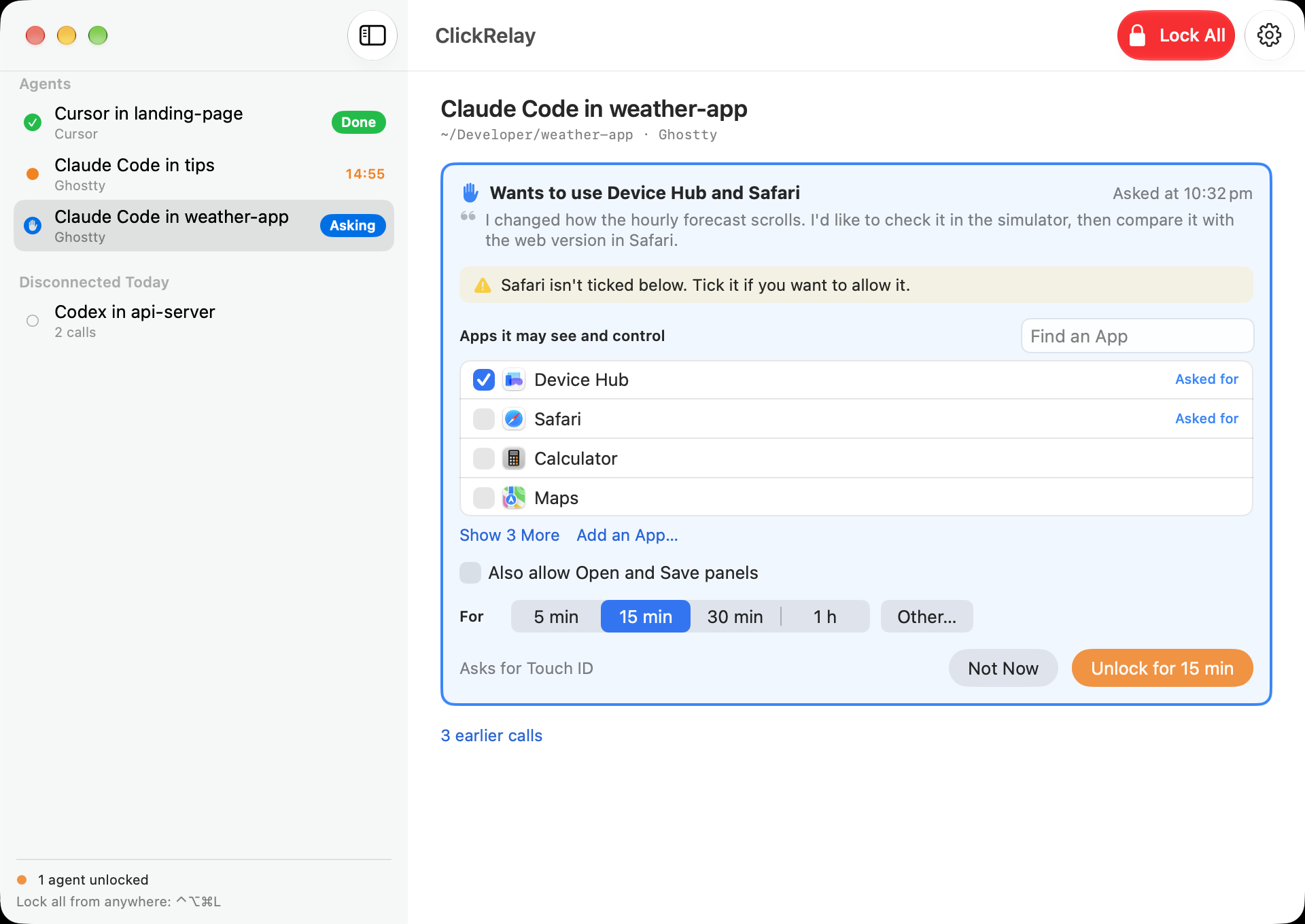
Give Claude Code, Codex, Cursor or any MCP agent screenshots and clicks in the apps you pick, for as long as you choose. Touch ID to start, and it locks itself when time's up.
Free · macOS 15+ · beta
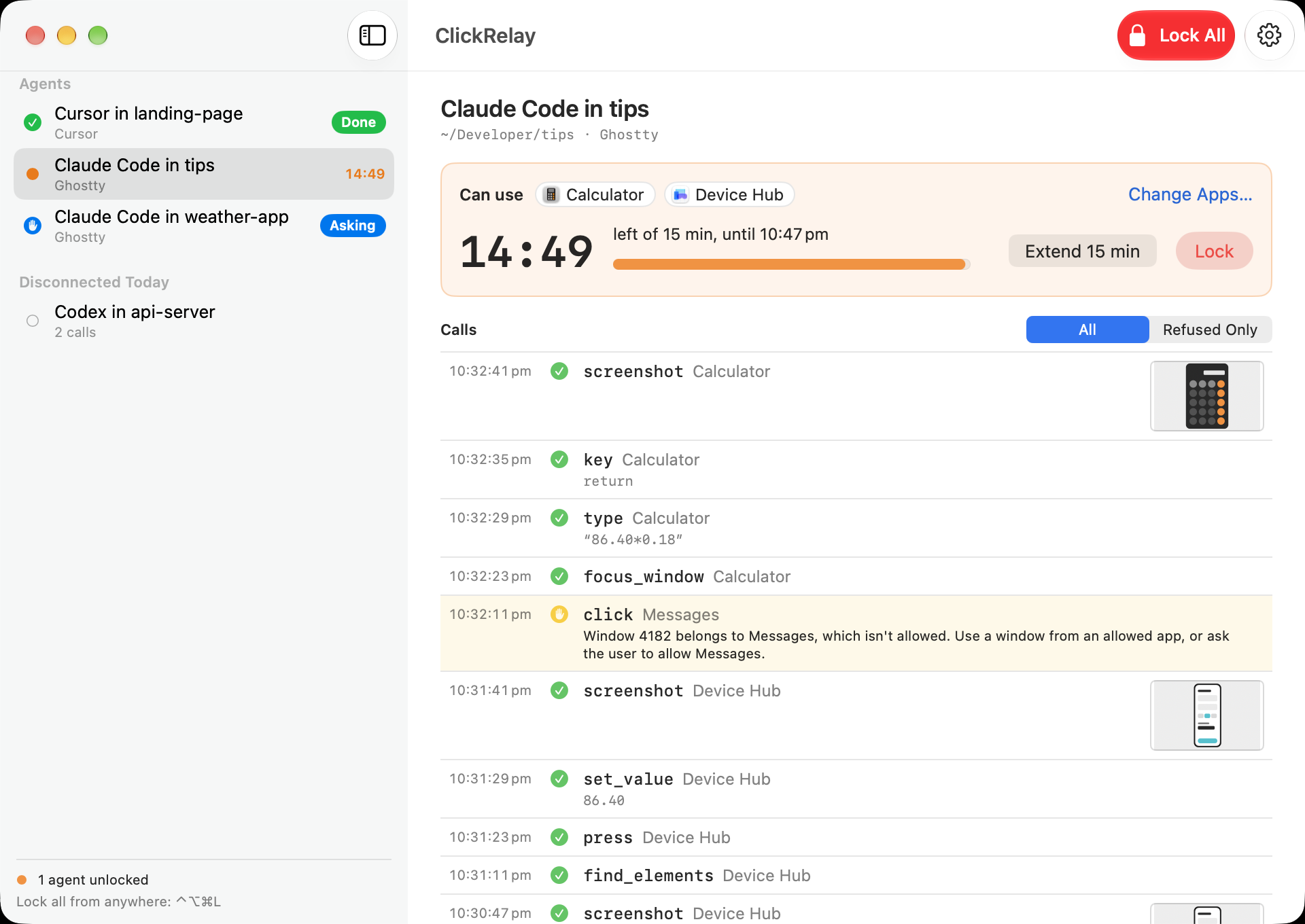
Agents are good at checking their own work in Simulator or a browser. The usual way to let them is to give your terminal Screen Recording and Accessibility, which lets anything running in it see and drive your whole Mac, with no end date.
ClickRelay holds those two permissions itself and lends them out a few minutes at a time.
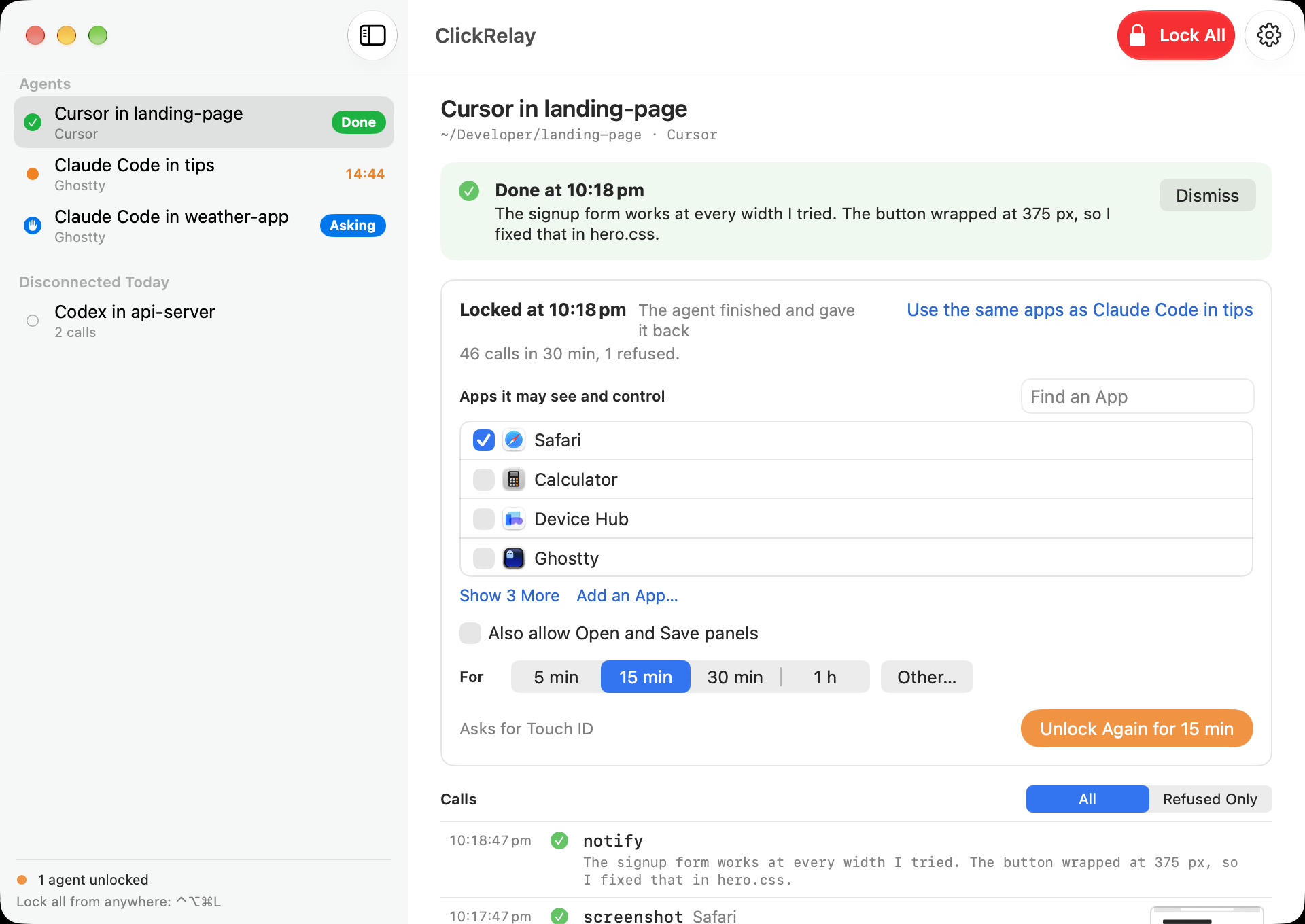
When an agent asks, tick the apps you're happy to share and choose 5, 15 or 30 minutes, an hour, or any length you like. Touch ID confirms it. Each unlock covers one agent session, so a second agent can't use access meant for the first.
Screen lock, sleep, switching users or ⌃⌥⌘L from anywhere locks it again straight away.
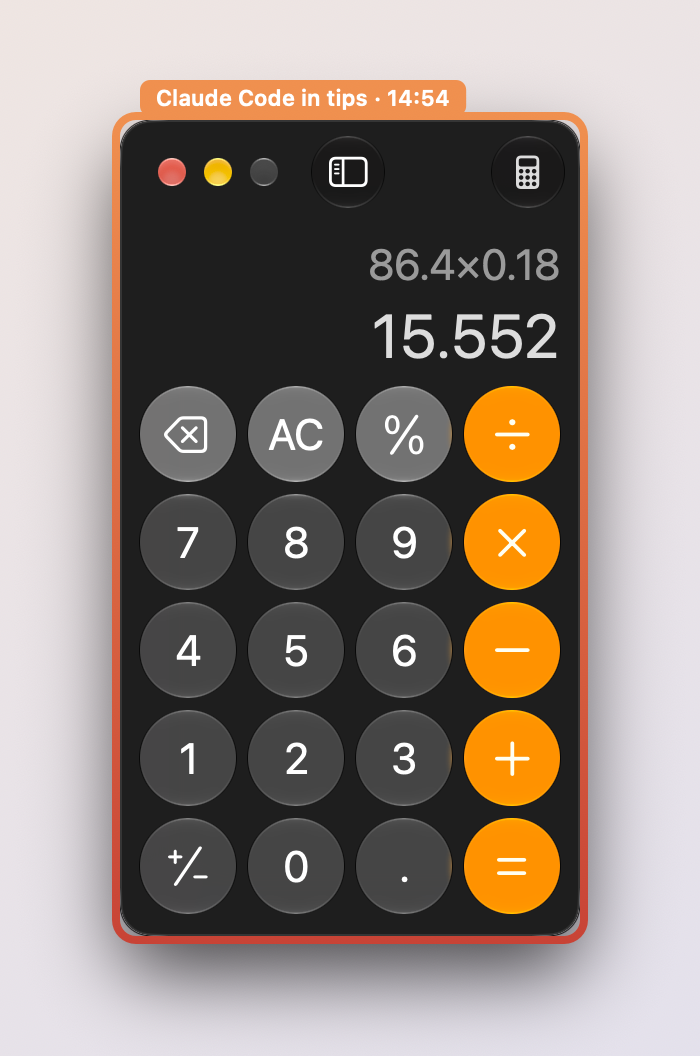
Screenshots only include the apps you allowed. Before every click, ClickRelay checks the window belongs to one of them and isn't covered by something else. Keystrokes only go to an allowed app in front.
System Settings, password managers, login prompts, the Dock and the terminal your agent runs in can't be allowed at all.
When an agent hits a password, a 2FA code, a CAPTCHA or a payment, it hands that window to you and waits. You do the bit only you should do, click Done, and it carries on.
A coloured border shows which windows the agent is using, and it tells you when it's finished so you know you can have the Mac back.
Open ClickRelay and follow the checklist: grant the two permissions, take a test screenshot, then add it to your agent. For Claude Code that's one command:
The app has copy-and-paste config for Codex CLI, Cursor, Windsurf, VS Code (GitHub Copilot), Zed and Antigravity as well.
Only a person at the Mac can unlock, extend or add apps, and each of those needs Touch ID or a real click. The source is on GitHub, so you can check that for yourself.
Any agent that can use a local MCP server. The app has ready-to-copy setup for Claude Code, Codex CLI, Cursor, Windsurf, VS Code with GitHub Copilot, Zed and Antigravity.
Those permissions have no time limit and no app list. Anything running in that terminal could see your whole screen and type into any app, at any time. ClickRelay holds the permissions itself and only lends them out after you unlock it, for the apps you picked.
No. An agent can ask, with a reason, but only you can unlock, extend or add apps, and each of those needs Touch ID (or the hold-to-confirm Authorize button on Macs without it). ClickRelay itself, System Settings and login prompts are never allowed, so an agent can't click its way around this.
It hands that window to you. ClickRelay shows what the agent needs, stops all agent input until you click Done or Can't Do This, then the agent carries on. ClickRelay never sees, stores or types your secrets.
ClickRelay has no account, no cloud and no network listener. Screenshots go only to the agent that asked for them, over a local socket. What your agent then does with them depends on the agent and the model you use.
It's in beta. It works day to day, but tools and settings may change between releases. Please report anything odd on GitHub.
It's free. Download it from GitHub Releases, where builds are signed with Developer ID and notarized by Apple. The source is on GitHub too.
Free for macOS 15 and later. Pick the apps, pick the time, and get on with something else.
Free · macOS 15+ · beta